Special Offer High-Speed Cloud Hosting from $9.99/yr — Explore Packages
Engineering Insights & Tech Updates

CodeBinary Tech Insights & Perspectives

In-depth articles, architectural breakdowns, cloud best practices, and cybersecurity analysis written by our software engineering and product teams.

50+
Technical Articles & Case Studies
100K+
Readers & Developers Reached
8+
Core Engineering Topics Covered
Weekly
Curated Architecture Bulletins
Displaying 4 of 4 published insights
Maximizing Your Site’s Defenses: Essential Web Hosting Security Features security
May 19, 2026 2 min read

Maximizing Your Site’s Defenses: Essential Web Hosting Security Features

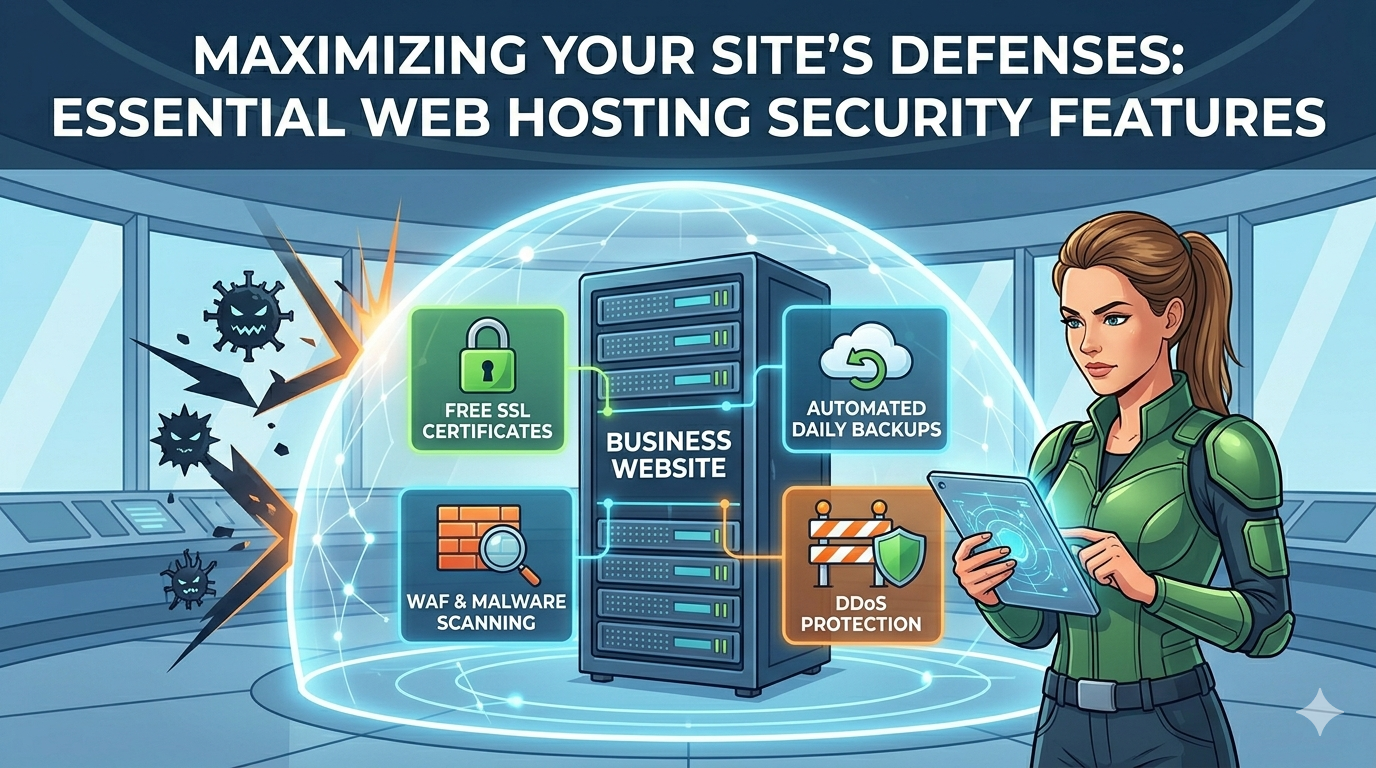
So, you’ve chosen the right hosting plan for your business—congratulations! But the work doesn’t stop at selecting a provider. Your next mission is to ensure that your chosen platform is a fortress against digital threats. For any business website, security isn’t just a feature; it's the foundation of customer trust and operational stability. If your host isn’t doing its part, your site is vulnerable. When evaluating your current setup or looking to upgrade, you must ensure your host provides these non-negotiable security layers. 1. Free SSL Certificates (HTTPS) This is the absolute baseline. An SSL (Secure Sockets Layer) certificate encrypts the data traveling between your customer’s browser and your server. It turns http into https, which is now a standard requirement for search engines and user trust. Never pay extra for a basic SSL; reliable hosts provide them for free. 2. Automated, Daily Backups Imagine logging in to find your site completely corrupted by a failed update or malware. A robust host acts as your safety net by performing automated daily backups. Crucially, they should also offer one-click restoration, allowing you to revert your entire site to a previous safe version in minutes, not hours. 3. Proactive Server Monitoring and Threat Detection Your host should be watching the perimeter so you don’t have to. Good providers offer 24/7 server monitoring to identify and block suspicious activity before it reaches your site. Look for features like: Web Application Firewall (WAF): Blocks common attack vectors like SQL injection and cross-site scripting (XSS). Malware Scanning: Regularly scans your files for malicious code. 4. DDoS Protection Distributed Denial of Service (DDoS) attacks attempt to overwhelm your server with artificial traffic, crashing your site. While major attacks require specialized services, your host should provide baseline DDoS protection to mitigate smaller, common attacks and keep your business online during surges. By demanding these features, you ensure your business website remains safe, trustworthy, and always open for customers.

How to Choose the Right Hosting for Your Business Website general
Mar 1, 2026 5 min read

How to Choose the Right Hosting for Your Business Website

Your website is one of your most valuable business assets. It represents your brand, generates leads, builds trust, and in many cases, drives revenue. But behind every successful website is a critical foundation that many business owners overlook — web hosting. Choosing the wrong hosting can lead to slow loading times, security vulnerabilities, frequent downtime, and lost customers. Choosing the right hosting, on the other hand, ensures stability, performance, and long-term growth. This guide will help you understand how to select the right hosting solution for your business website. Why Hosting Matters More Than You Think Many people focus heavily on design and features but ignore the infrastructure powering the site. Hosting directly impacts: Website speed Search engine rankings Security Uptime reliability User experience Conversion rates If your site loads slowly or goes offline regularly, visitors will leave — and they may not return. Search engines also penalize slow or unstable websites, which means poor hosting can quietly damage your online visibility. For a business website, hosting is not just a technical requirement — it is a strategic decision. Step 1: Understand Your Website’s Purpose Before comparing hosting plans, define your needs clearly. Ask yourself: Is this a simple informational website or a full eCommerce platform? How much traffic do I expect monthly? Will I run ads or marketing campaigns? Do I need business email accounts? Will the website scale significantly in the next 1–2 years? A small portfolio site and a growing online store require completely different hosting environments. Choosing based on current and future needs prevents costly migrations later. Step 2: Learn the Main Types of Hosting Shared Hosting Shared hosting means your website shares server resources with many other websites. It is suitable for: New businesses Low-traffic websites Budget-conscious startups Advantages: Affordable Easy to manage Beginner-friendly Limitations: Limited performance during traffic spikes Less control over server configuration For many small businesses starting out, shared hosting is a practical entry point. VPS (Virtual Private Server) VPS hosting divides a physical server into virtual sections, giving you dedicated resources. It is ideal for: Growing businesses Medium-traffic websites Businesses needing better performance Advantages: Improved speed and stability More control and customization Better scalability Compared to shared hosting, VPS offers a noticeable performance improvement, making it a strong choice once your business begins expanding. Dedicated Server With a dedicated server, your business gets an entire physical server exclusively. It is best suited for: Large companies High-traffic websites Enterprise-level applications Businesses handling sensitive data Advantages: Maximum performance Highest security level Full control This option is powerful but more expensive and typically unnecessary for small businesses in their early stages. Step 3: Check Uptime Guarantee Uptime measures how consistently your website remains accessible. A professional hosting provider should offer at least 99.9% uptime. Even small periods of downtime can result in: Lost sales Reduced credibility Lower search rankings For a business website, reliability is essential. Always review uptime guarantees and reputation before committing. Step 4: Evaluate Speed and Performance Speed influences both user behavior and SEO performance. When choosing hosting, look for: SSD or NVMe storage Modern server technologies (such as optimized web servers) Built-in caching support CDN compatibility Fast websites keep visitors engaged and improve conversion rates. Slow websites push potential customers away. Step 5: Review Security Features Carefully Cyber threats are increasing every year. Your hosting provider should include strong security measures such as: Free SSL certificate Regular automated backups Malware scanning Firewall protection DDoS protection If your website collects customer data, processes payments, or stores confidential information, security must be a top priority. Step 6: Consider Scalability Your hosting solution should grow with your business. Choose a provider that allows: Easy upgrades between plans Resource expansion without downtime Smooth migration support Switching hosting later can be complex and risky. Selecting a scalable solution from the beginning protects your long-term growth. Step 7: Assess Technical Support Quality Even with reliable hosting, technical issues can occur. Professional hosting should provide: 24/7 support Fast response times Knowledgeable technical assistance Multiple support channels (chat, email, ticket system) When your business depends on online availability, responsive support becomes extremely valuable. Step 8: Don’t Choose Based on Price Alone It is tempting to choose the cheapest hosting option. However, extremely low-cost plans often compromise on: Speed Security Customer support Stability Instead of focusing solely on price, evaluate overall value. Reliable hosting prevents future problems that may cost far more than the initial savings. What Hosting Is Right for Your Business? Here is a simple guideline: Small startup website → Shared hosting Growing business website → VPS hosting High-traffic or enterprise platform → Dedicated server If you are unsure, consulting with professionals can help you avoid technical mistakes and unnecessary expenses. Final Thoughts Choosing the right hosting is not just about where your website lives — it is about performance, security, and long-term business stability. The right hosting ensures: Faster loading speed Stronger security Better search engine visibility Higher customer trust Room for growth The wrong hosting can quietly limit your success. If you want your website to perform reliably and support your business goals, make hosting decisions carefully — or seek expert guidance to ensure you build on a strong foundation.

Shared vs VPS vs Dedicated Hosting: Which One Should You Choose? cloud
Feb 10, 2026 4 min read

Shared vs VPS vs Dedicated Hosting: Which One Should You Choose?

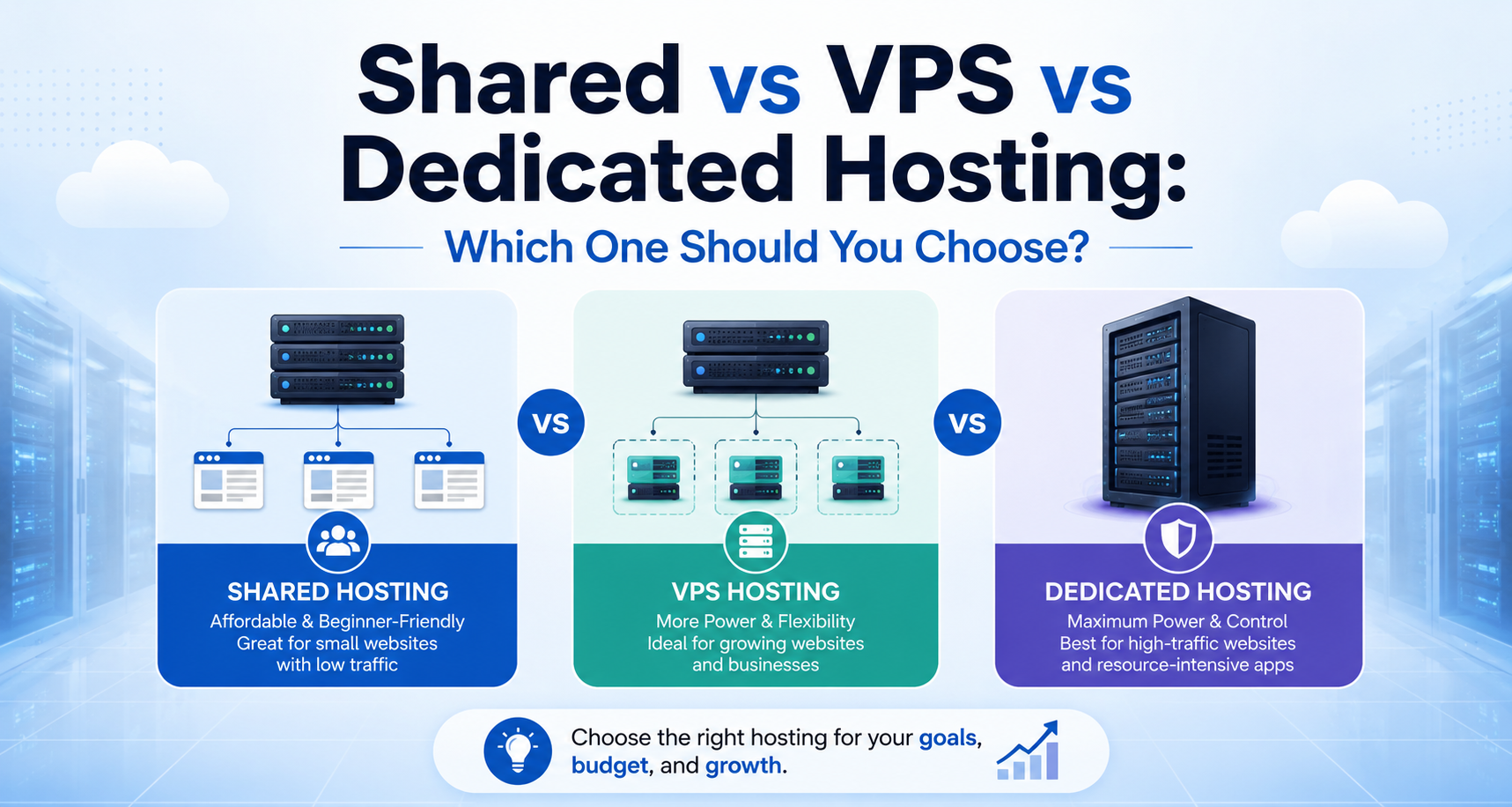
When selecting hosting for your business website, you will almost always face three options: Shared Hosting, VPS Hosting, and Dedicated Server. At first glance, they may look similar. In reality, they differ significantly in performance, control, scalability, and cost. Choosing the wrong option can either limit your growth or make you overspend unnecessarily. This guide breaks down each hosting type clearly so you can make an informed decision. What Is Shared Hosting? Shared hosting means multiple websites are hosted on the same physical server and share its resources, including CPU, RAM, and storage. Think of it like living in an apartment building. You share infrastructure with other tenants. Best For: New businesses Personal websites Low-traffic company sites Budget-conscious startups Advantages: Most affordable option Simple setup and management No technical expertise required Limitations: Performance can drop if other websites consume high resources Limited customization Not ideal for traffic spikes Shared hosting is a practical starting point but may become restrictive as your business grows. What Is VPS Hosting? VPS stands for Virtual Private Server. A physical server is divided into multiple virtual environments, each with dedicated resources. Using the apartment analogy, VPS is like owning a private condo within a building. You still share the structure, but your resources are reserved. Best For: Growing businesses Medium traffic websites Businesses needing better performance and control Advantages: Dedicated virtual CPU and RAM Better speed and stability More configuration flexibility Scalable resources Limitations: Higher cost than shared hosting May require moderate technical understanding VPS is often the most balanced solution for serious business websites. What Is Dedicated Hosting? Dedicated hosting gives you an entire physical server exclusively for your website. This is equivalent to owning your own house — complete control and no shared resources. Best For: Large enterprises High-traffic platforms eCommerce websites with heavy transactions Applications handling sensitive data Advantages: Maximum performance Full server control Advanced security capabilities Handles very high traffic loads Limitations: Most expensive option Requires technical expertise or server management support Dedicated hosting is powerful but typically unnecessary for small or mid-sized businesses. Direct Comparison Table Feature Shared Hosting VPS Hosting Dedicated Hosting Cost Low Medium High Performance Basic Strong Maximum Control Limited Moderate Full Scalability Limited High Very High Best For Startups Growing Businesses Enterprises Performance Comparison Shared hosting performs well under normal traffic conditions but can struggle during sudden spikes. VPS hosting provides consistent performance because resources are allocated specifically to your website. Dedicated hosting delivers the highest performance, making it ideal for large-scale operations. If speed and reliability directly impact your revenue, VPS or Dedicated is usually the smarter choice. Security Differences Shared hosting environments can be slightly more vulnerable because multiple websites operate on the same server. VPS offers improved isolation, reducing risk from neighboring websites. Dedicated servers provide maximum control over security configurations, firewalls, and monitoring systems. For businesses handling payments or sensitive customer data, stronger isolation is highly recommended. Scalability Considerations As your business grows, your hosting must grow with it. Shared hosting upgrades are limited. VPS allows flexible resource scaling. Dedicated servers offer extensive expansion possibilities but require higher investment. If you plan aggressive marketing or expansion, choosing scalable hosting from the beginning prevents migration challenges later. Cost vs Value Analysis Many businesses start with shared hosting because it is inexpensive. However, if your website generates leads or sales, slow speed and downtime can cost far more than the price difference between plans. Instead of asking, “Which is cheapest?” ask, “Which supports my growth?” Reliable performance is an investment, not an expense. Which Hosting Should You Choose? Choose Shared Hosting if: You are launching a new website Traffic is low Budget is limited Choose VPS Hosting if: Your business is growing You need better performance You expect increasing traffic Choose Dedicated Hosting if: You run a high-traffic or enterprise-level platform Security and performance are critical You need full control over infrastructure For most small-to-medium businesses, VPS offers the best balance between performance and cost. Final Recommendation Hosting should match your business stage — not just your current budget. Start small if necessary. Upgrade strategically. Avoid overpaying for power you do not need. Avoid underinvesting in performance that drives revenue. If you are uncertain about which hosting environment suits your business, a professional assessment can save time, money, and technical frustration. The right hosting ensures your website remains fast, secure, and ready for growth.

How Hosting Affects SEO and Website Speed tech
Dec 29, 2025 4 min read

How Hosting Affects SEO and Website Speed

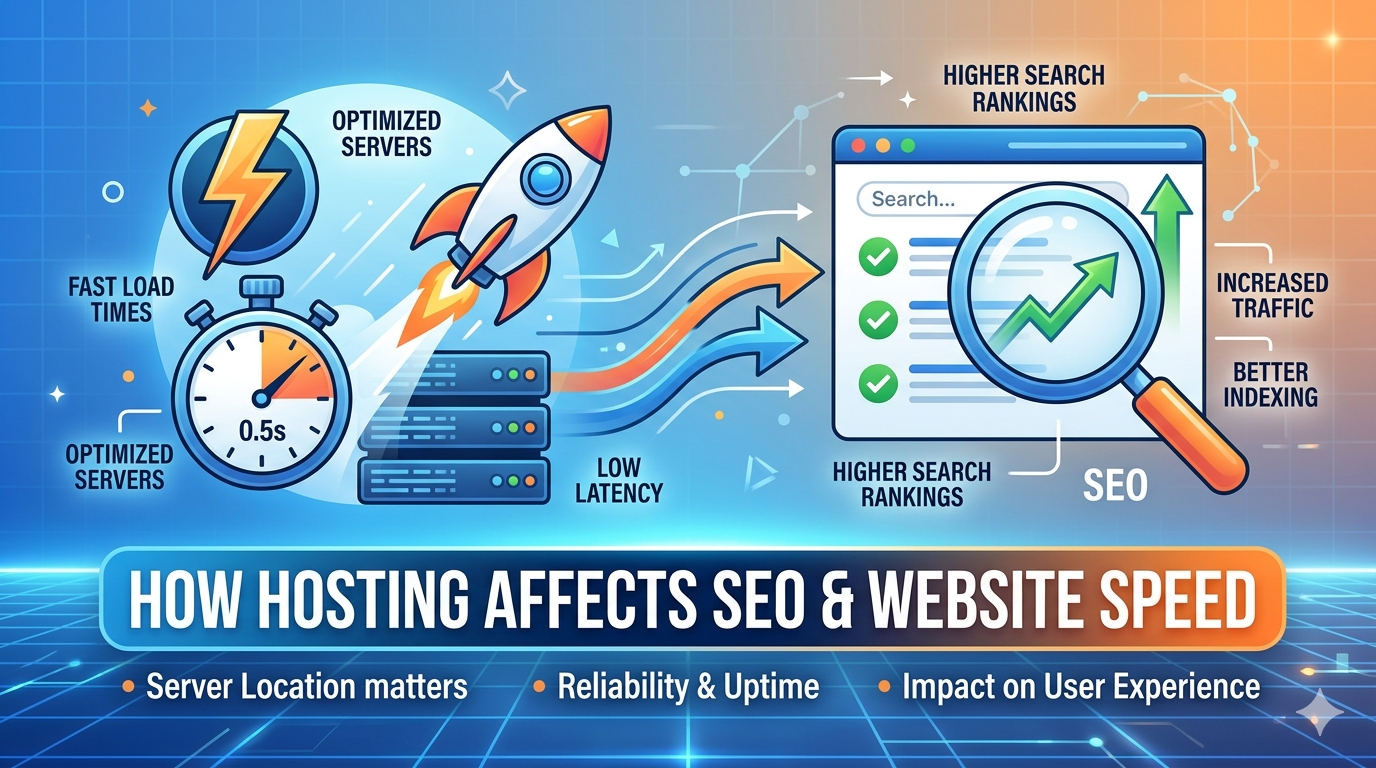
Many business owners invest in website design, branding, and content marketing — but overlook one critical factor that directly impacts search rankings and conversions: web hosting. You can have excellent content and professional design, but if your hosting is slow or unreliable, your SEO performance will suffer. In this article, you’ll learn how hosting affects website speed, search engine rankings, and overall business performance. Why Website Speed Is Critical for SEO Search engines prioritize user experience. One of the most important user experience signals is page speed. If your website loads slowly: Visitors leave quickly Bounce rates increase Engagement decreases Search rankings drop Google has confirmed that page speed is a ranking factor. Slow-loading websites are less likely to appear at the top of search results. Your hosting provider plays a direct role in how fast your website loads. How Hosting Impacts Website Speed 1. Server Response Time Server response time (also known as Time to First Byte) measures how quickly your server begins responding when a user requests a page. Poor-quality hosting often results in delayed server response, which slows down the entire loading process. High-performance hosting environments reduce response time significantly, improving both user experience and SEO metrics. 2. Shared Resources vs Dedicated Resources In shared hosting environments, multiple websites use the same server resources. If one website experiences high traffic, others on the same server may slow down. VPS and dedicated hosting allocate dedicated resources, ensuring consistent performance even during traffic spikes. More stable performance leads to better Core Web Vitals scores — an important SEO ranking signal. 3. Server Location and Latency The physical location of your server affects loading speed. If your server is far from your target audience, data takes longer to travel, increasing latency. Choosing hosting with optimized server locations or CDN integration improves global performance. For businesses targeting local customers, proximity matters. 4. Storage Technology (SSD vs Traditional HDD) Modern hosting providers use SSD or NVMe storage, which is significantly faster than traditional hard drives. Faster storage means: Quicker database queries Faster file access Improved overall page load speed Hosting with outdated hardware can silently limit your website performance. Hosting and Uptime: The Hidden SEO Factor Search engines regularly crawl websites. If your website is down during crawling, it can negatively affect your indexing and ranking. Frequent downtime leads to: Reduced crawl frequency Loss of ranking positions Decreased user trust A reliable hosting provider offering at least 99.9% uptime helps maintain search visibility and business credibility. Hosting and Security: Indirect SEO Impact Security is another critical factor. If your website gets hacked or infected with malware: Search engines may flag it as unsafe Rankings can drop dramatically Users may avoid visiting Secure hosting should include: SSL certificates Firewall protection Malware monitoring Regular backups Security stability protects both your SEO and brand reputation. Core Web Vitals and Hosting Performance Google measures user experience through Core Web Vitals metrics, including: Largest Contentful Paint (LCP) First Input Delay (FID) Cumulative Layout Shift (CLS) While design and optimization play a role, hosting infrastructure directly influences loading time and responsiveness. Better hosting contributes to stronger performance scores, which improve ranking potential. How Poor Hosting Hurts Conversions SEO brings traffic — but speed converts traffic. Studies consistently show that even a 1-second delay in page load time can significantly reduce conversion rates. If your business relies on: Lead generation Online sales Appointment bookings Form submissions Then hosting performance directly impacts revenue. Faster websites build trust. Slow websites create frustration. When Should You Upgrade Your Hosting? Consider upgrading if: Your website loads slowly despite optimization Traffic has increased significantly You experience frequent downtime You plan marketing campaigns You run paid advertisements If you are investing in digital marketing, your hosting must support that growth. The Business Perspective: Hosting as an Investment Some businesses treat hosting as a low-priority expense and choose the cheapest option available. However, poor hosting can cost far more through: Lost customers Reduced SEO visibility Lower conversion rates Brand reputation damage Reliable hosting supports performance, growth, and stability. It is an infrastructure investment that enables all other digital strategies to succeed. Final Thoughts Hosting affects: Page speed SEO ranking Uptime reliability Security User experience Conversion rate It is not just a technical backend decision — it is a business decision. If your website is slow, unstable, or struggling to rank despite good content, your hosting environment may be the root cause. Choosing the right hosting ensures your website performs efficiently, ranks competitively, and supports long-term business growth.

Engineering Advisory

Need technical advisory for your next deployment?

Discuss your cloud infrastructure, software architecture, or enterprise ERP requirements with our senior engineering team.

Book Consultation